Reports
Bizak reporting is organized by subject area.
Visual guide
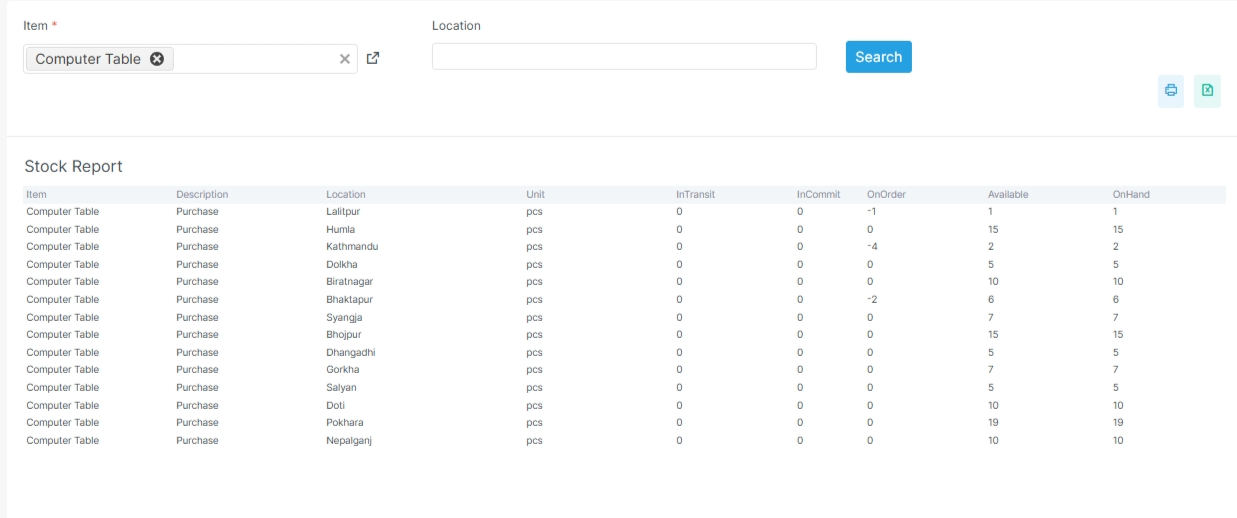
Common report pattern
Most report pages start with filters at the top. The table or summary appears below the filters. Detail pages usually add drilldown rows.
What to notice in report pages
Filters sit above the table so users can narrow results first. The report body changes based on the family you open. Summary views help first, and detail views help when you need a trail.
Before you start
- Confirm the related setup and posting data exists.
- Confirm the date range is correct.
- Confirm the user has access to the report family.
- Confirm filters like branch, entity, or location are ready.
Report families
-
Account Reports
Read balances, ledgers, ageing, and statements.
-
Sales Reports
Review invoices, returns, and customer outstanding.
-
Inventory Reports
Track stock, valuation, and movement.
-
Procurement Reports
Review purchase history and vendor balances.
-
Dynamic Reports
Open flexible, custom report views.
-
IRD Reports
Use tax and compliance reports.
-
Other Reports
Review user activity and supporting views.
Related pages
How users should read reports
- Choose the report family
- Apply date or entity filters
- Review totals and details
- Export if needed for audit or sharing
Report design principle
Reports should answer one clear question. If the user wants balances, show balances. If the user wants movement, show movement. If the user wants a drilldown, include a detail report.